NYDH QA API checks, test cases & release gates

NYDH puts API checks, test cases, automation and release gates in one workspace. Every pass and every fail keeps its evidence, so the call to ship is never a guess.

100 executions per project / monthNo cardRuns in the browser
suitecheckout-service main @ 8f3c21a
running
passed0
failed0
in flight0
of 0 · time0.0 s
Hover a dot to inspect a check. Click anywhere on the map to re-run from that point.
POST /checkout/coupon 200 · 142 ms TC-0388 Login with SSO passed · 2.1 s GET /auth/refresh 401 · 88 ms SEO /pricing 11 of 12 essentials Nightly regression 412 checks · running Schedule */15 * * * * health check · 200 Browser · checkout happy path 6.4 s Sample release 1.4.0 readiness 100 / 100
#inside-nydh real application screens

A closer look at NYDH.

Explore five real app screens. Select a view below, or open the image for a closer look.

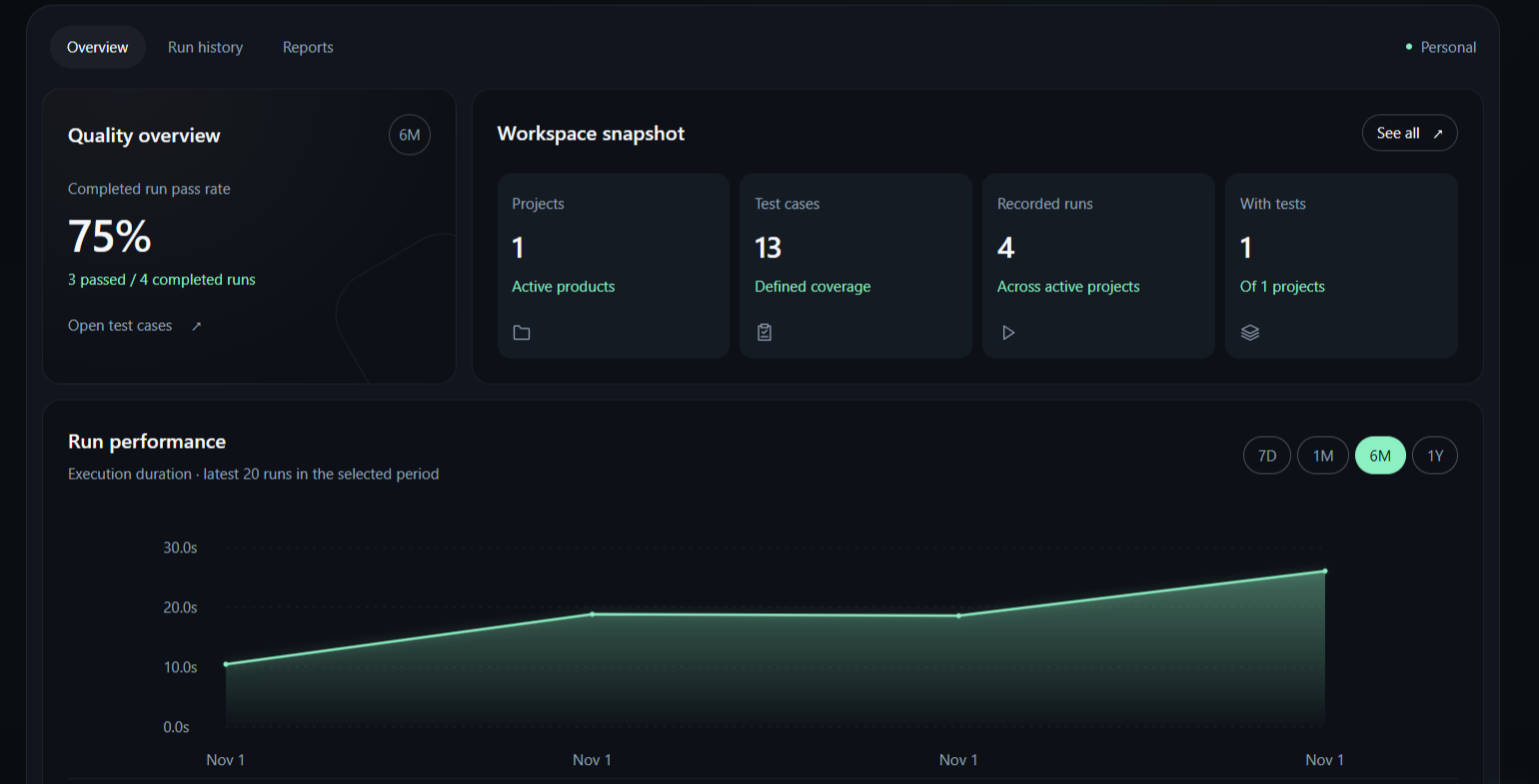
NYDH your workspace at a glance

Your workspace at a glance

Track run performance, test cases and project activity.

1 / 5
#demo works right here

Explore the workflow. Press the buttons.

Interactive examples use simulated runs and AI responses. The JSON formatter works locally in this page; workspace data is created in the app.

Send a request, break it, watch the failure land in the inbox, re-run it, and see the release gate change. The three tabs are wired together.

Body · application/json

"code": "SPRING15",
"cartTotal": 120

Assertions

  • status equals 200
  • body.applied is true
  • response time under 500 ms
200 OK142 ms120 Benv: staging
{
  "applied": true,
  "code": "SPRING15",
  "discount": 15,
  "currency": "USD",
  "total": 102,
  "remainingUses": 2
}

Run #1284 passed · saved to Run History

#loop how the pieces connect

One thread, from requirement to release.

Each step links to the one before it. When a run fails, you can follow it back to the test case and the requirement it was written for.

  1. REQ-112

    Requirement

    Write down what done means: one coupon per order.

    Requirements · coverage 82%
  2. TC-0421

    Test case

    Apply a second coupon. Expect 409 Conflict.

    Test Cases · linked to REQ-112
  3. RUN #1284

    Run

    API Runner, a schedule or automation executes it.

    Run History · 142 ms · passed
  4. EVIDENCE

    Evidence

    Request, response, timing and screenshots stay with the run.

    Reports · exportable
  5. 1.4.0

    Release

    Gates read from real results, so ready means ready.

    Release Readiness · 100 / 100
#modules 20 workspace modules

Everything a QA team opens in a week.

Workspace 04

  • OverviewPass rate, run outcomes and open bugs on one screen.
  • ProjectsA home per product with its own cases and runs.
  • ToolboxJSON, JWT, regex, encoding and test data tools.
  • EnvironmentsBase URLs, variables and scoped secrets per env.

Testing 08

  • API RunnerBuild, send and assert on supported HTTP requests.
  • CollectionsGroup requests into suites you can run at once.
  • Test CasesSteps, expected results and bulk import.
  • RequirementsTrace every requirement to the tests that cover it.
  • SchedulesCron-timed checks, recorded without you.
  • AutomationSaved API runs, site scanning and browser test exports.
  • SEO AuditSearch essentials checked and turned into actions.
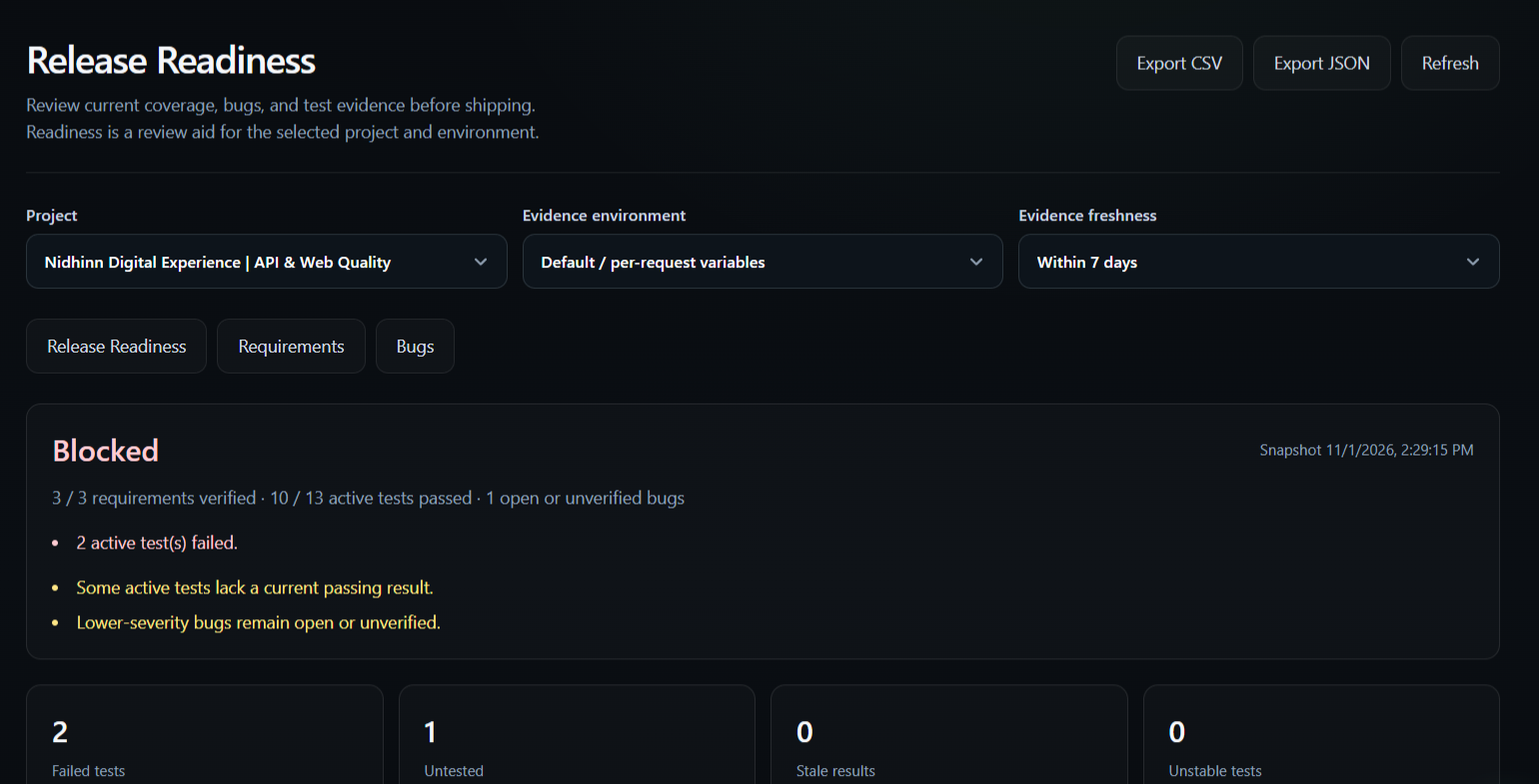
  • Release ReadinessGates that read from real results.

Insights & people 08

  • BugsSeverity, owner and the run that found it.
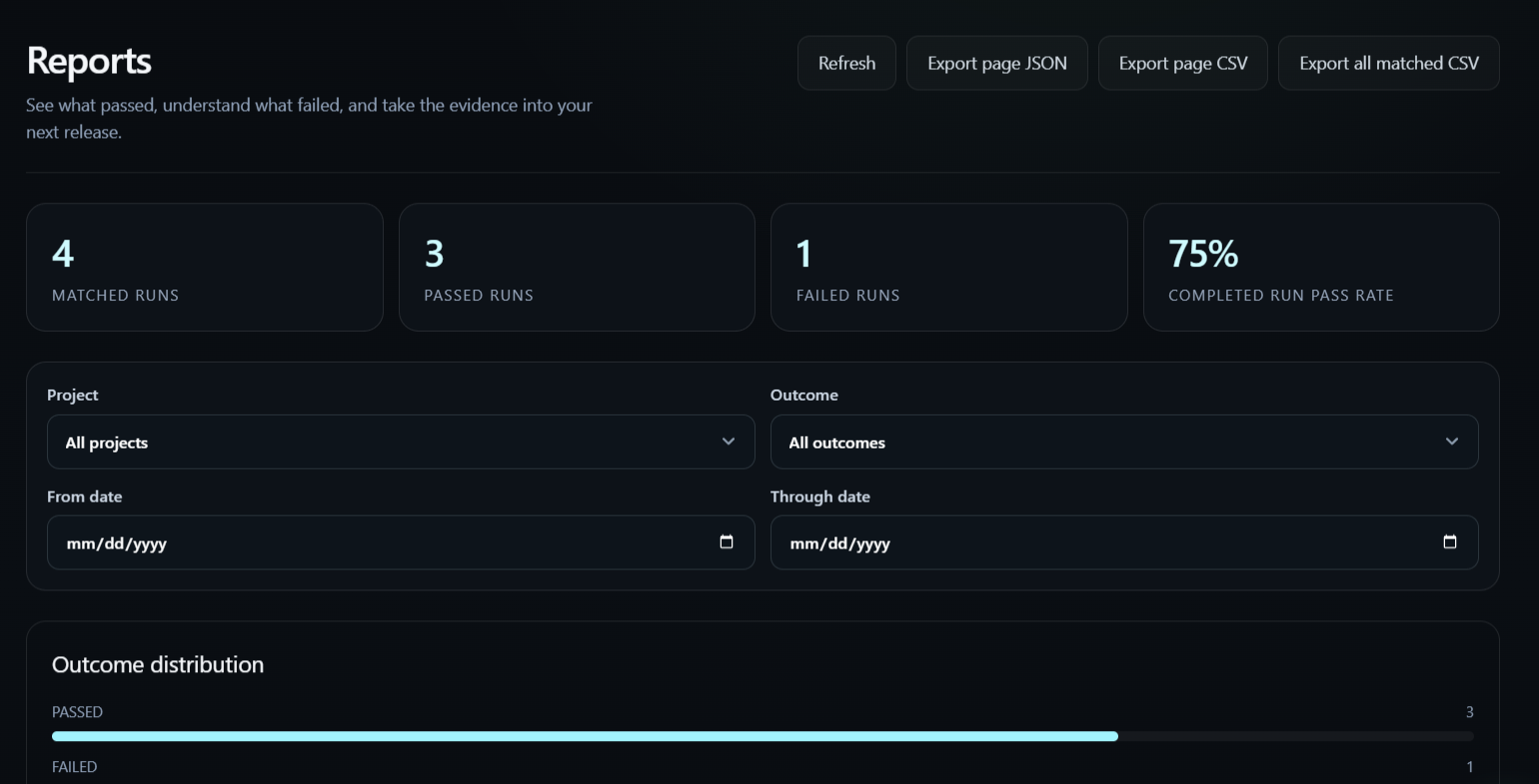
  • ReportsCompare runs and export the evidence.
  • Run HistoryEvery execution, timed and on record.
  • Failure InboxOne queue for every failing check.
  • TeamViewer, member and admin roles.
  • Audit LogWho changed what, and when.
  • NYDH AIDrafts cases and explains failures.
  • SettingsWorkspace, members and notifications.
#features beyond the sidebar

From the first requirement to the release review.

Explore what you can do inside NYDH, from everyday API checks to browser exports, team workflows and account controls.

01 Plan and organize

Projects, requirements & test cases

  • Organize product work into projects and search your project overview.
  • Write requirements with priorities and acceptance criteria, link test cases, and review coverage.
  • Manage test steps and expected results, import cases in bulk, and record manual pass or fail evidence.
02 Exercise your APIs

Requests, collections & environments

  • Build requests and save response, JSON and timing assertions.
  • Group saved checks into collections or run selected API cases; follow queued, running and completed status.
  • Keep environment base URLs, variables and scoped secrets alongside your tests.
03 Build browser journeys

Playwright & Selenium exports

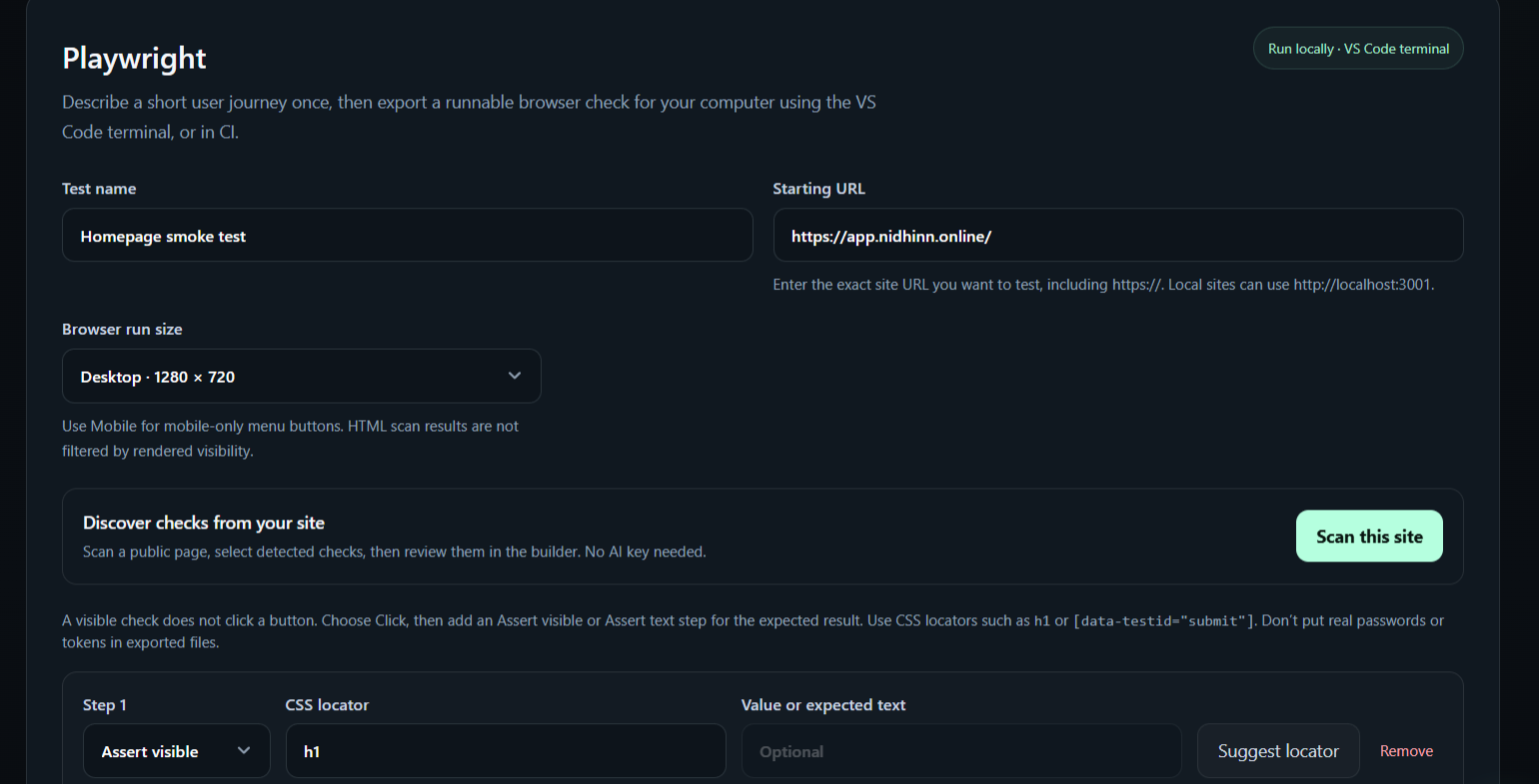
  • Build click, fill, visible-element and text-check steps, then download runnable tests.
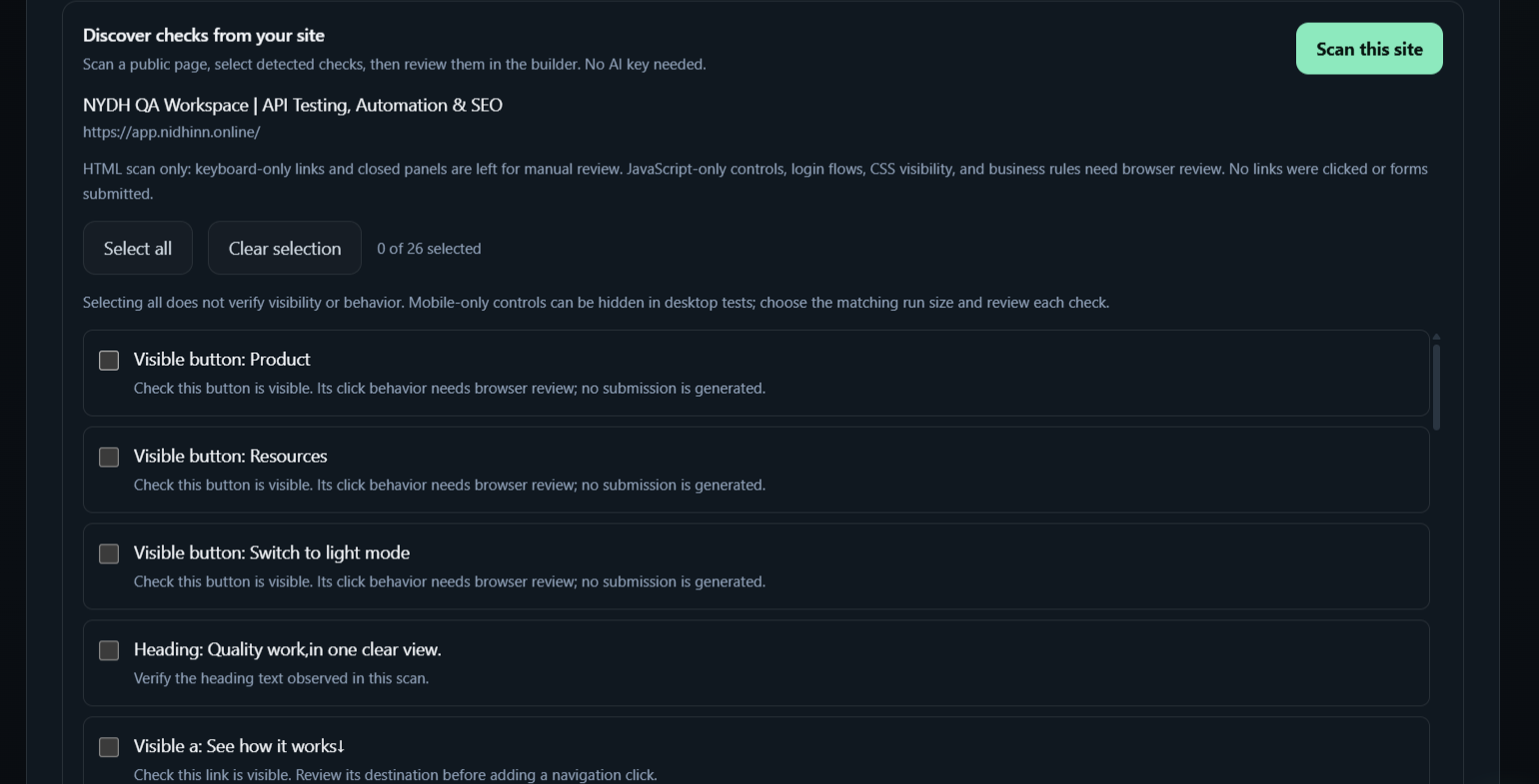
  • Scan public page HTML, review detected elements and choose checks to add to your builder.
  • Choose Hard or Soft assertion behavior in the current source. This feature is prepared for release, not yet verified live.
  • Run exported browser tests on your machine or in CI. HTML scanning cannot discover every JavaScript-only control or infer business outcomes.
04 Automate repeat work

Saved checks, schedules & CI

  • Start with a saved public website check in a project and follow its execution from Automation.
  • Schedule checks and inspect their recorded outcomes in Run History.
  • Use automation integration guidance and scoped tokens; export browser workflows for local or CI execution.
05 Investigate what failed

Run evidence, bugs & reports

  • Review run status, timing and request/response evidence in Run History, and compare runs in Reports.
  • Triage failing checks in Failure Inbox and prepare a bug draft from saved failure evidence.
  • Track severity, ownership, environment, reproduction steps, expected and actual behavior, and links to tests or requirements.
06 Make release decisions

Coverage & release readiness

  • Review requirement coverage and the test evidence behind it.
  • Bring open bugs, test outcomes and requirement evidence together in Release Readiness.
  • Use AI release guidance to review next actions before deciding whether to ship.
07 Inspect your website

SEO audits & requirement comparisons

  • Audit public pages and review technical findings with page-level results.
  • Upload SEO requirements using a CSV template and compare expected values with observed metadata.
  • Review duplicate titles and descriptions among fetched pages; export reports as CSV or JSON. Results cover the pages fetched by the audit.
08 Review with assistance

NYDH AI across your workflow

  • Draft editable test cases with API/security, accessibility or browser-journey emphasis.
  • Explain failures, review saved API assertions and turn evidence into bug-report drafts.
  • Paste current element markup for locator suggestions, then review a suggestion before applying it.
  • Export Playwright visual and accessibility checks for local or CI use. Review screenshot baselines and supplement automated accessibility checks with manual review.
09 Work together

Team access & everyday workspace tools

  • Invite teammates and use viewer, member and admin roles; review changes in Audit Log.
  • Move between workspaces, search destinations and projects, and use grouped navigation on mobile.
  • Keep personal to-dos close to your work, use the assistant, and save theme and sidebar preferences.
10 Manage your account

Settings, security & usage

  • Update your profile, verify email, recover access and manage your password.
  • Connect Google sign-in when configured, and manage supported security notification preferences. Push alerts depend on browser permission and server configuration.
  • Manage workspace details and permissions, review plan allowances and usage, and access account/data deletion controls.
  • Send feedback from Settings and review version information, release highlights and privacy information.

Feature guide reviewed against customer source 1.11.0 on 31 October 2026. Latest deployment recorded in the app changelog: 1.10.1. Availability depends on your role, allowances and configured services. The examples on this page use sample data.

#toolbox try one

The small tools you open ten times a day.

They sit next to your tests, so you stop pasting payloads into random websites.

  • JSON LabValidate, format, minify and sort keys in the app. Try the sample formatter here.
  • JWT InspectorDecode headers, claims and timestamps locally. Decoding does not verify signatures.
  • Regex TesterTest JavaScript patterns and flags against sample text.
  • Test DataGenerate fictional users in JSON or CSV, with names, test emails, phone numbers and addresses.
  • UUID GeneratorBatch-generate v4 or v7 identifiers, with case and dash options.
  • Encoding & textBase64 and URL encoding, SHA-256 hashing, timestamp conversion and line comparison.
JSON Lab
Valid · 10 keys
{
  "order": "A-1042",
  "coupon": "SPRING15",
  "items": [ … ],
  "total": 102
}
Edit the left side. Try deleting a quote.
AINYDH AI 25 interactions per user a month on Free

Turn REQ-112, one coupon per order, into test cases.

Here are three cases for REQ-112. The third covers a race condition that is easy to miss.

  1. TC-0421Apply a second coupon. Expect 409 Conflict.
  2. TC-0422Remove the coupon, apply another. Expect 200.
  3. TC-0423Send two coupons in parallel. Only one applies.
Sample preview · create real drafts in the app
#ai a second pair of eyes

An assistant that knows your requirements.

NYDH AI drafts test cases from requirements, explains why a run failed, and suggests the edge case you skipped. You review everything before it is saved.

#pricing one plan today

Free while we build it with you.

The free workspace has every module. Limits reset at the start of each UTC month. Paid billing is not switched on yet, so there is nothing to cancel.

FREE WORKSPACE

Free

$0 / month

Up to 2 projects per account, shared across your workspaces.

100test executions per project a month
25NYDH AI interactions per user a month
  • API Runner, collections and test-case management
  • Toolbox, SEO audits and automation workflows
  • Team roles, run history and audit log
Create your workspace

No card. Your data stays in your workspace.

#faq before you start

Good questions.

Do I need to install anything?

The workspace runs in your browser. API checks and Toolbox tools are available there. Exported Playwright and Selenium tests need their dependencies installed locally or in CI.

Is my API and test data private?

Your workspaces, projects and results stay yours. Data is not shared between workspaces, and you can delete a project with all its cases and runs at any time.

What runs my tests?

NYDH runs saved API checks and records their evidence in Run History. Exported Playwright, Selenium, visual and accessibility suites run locally or in CI; their browser execution does not happen inside this landing page.

What happens after 100 runs?

That project pauses execution until the next UTC month starts. Your other eligible project has its own allowance, and your saved data remains available.

Can my team work together?

Yes. Invite teammates to share projects, collections and run history, with viewer, member and admin roles.

Ship the next release with proof.

Bring API checks, test cases, automation and release evidence into one workspace. It takes a minute and it's free.

Start free